



In Meta Commerce Manager, products are managed inside a catalog, which acts as the central database for all product information used across Facebook and Instagram. A product feed (data file) is simply one way to supply product data to that catalog.
If your feed is outdated, incomplete, or missing required attributes, your products may not even be approved or eligible to run ads. Even when the data is technically valid, poorly optimized fields such as titles, metadata, or product labels can still hurt performance and make your ads struggle to compete.
| What You’ll Learn in This Article: ● What a Meta (Facebook) product feed is ● How a Meta product feed works ● Essential requirements and attributes ● How to create and add a Meta product feed to your catalog ● Proven optimization tips to improve ROAS and performance |
What is Meta (Facebook) Product Feed?
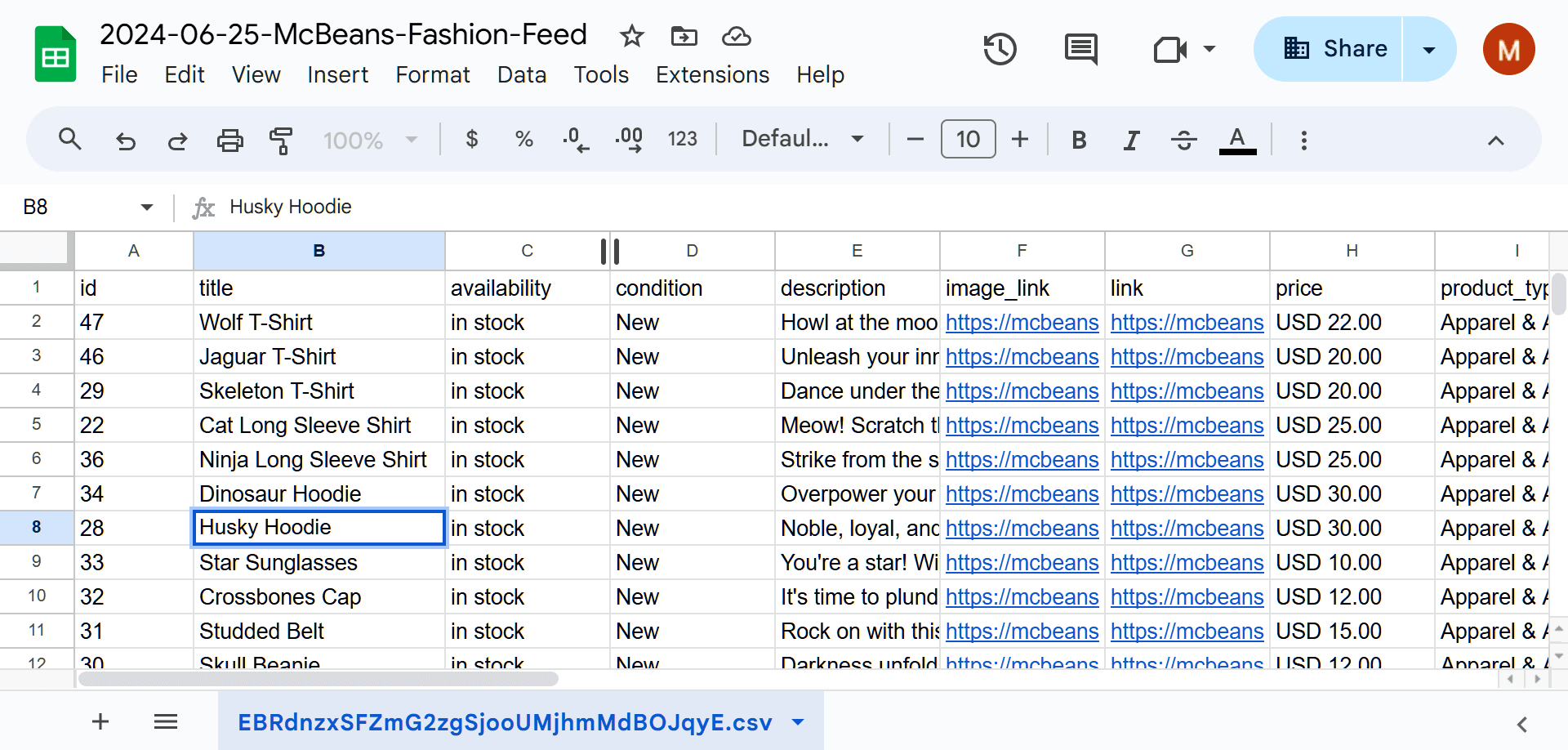
A Meta (Facebook) product feed, often called a data feed, is a structured data source that contains detailed information about the products in your catalog. This data can be provided in different formats, such as a CSV or XML file, a Google Sheets document, or a hosted URL that Meta regularly fetches to update product information across Facebook, Instagram, and other Meta surfaces.
The product feed serves as a connection between your website product database and Meta advertising system which uses it as its primary data source to update and maintain your Meta catalog with precise up-to-date product details.
The basic Facebook product feed in CSV format consists of this data structure:
| id, title, description, availability, condition, price, link, image_link, brand |
| SKU001,"Blue Running Shoes","Lightweight running shoes for men",in stock,new,59.99 USD,https://yourstore.com/blue-shoes,https://yourstore.com/blue-shoes.jpg,Nike |
Note: Ensure that your CSV fields are separated by commas and that any text containing commas (like descriptions) is wrapped in double quotes.
The column headers such as id, title, and description are referred to as attributes. Each individual row corresponds to a single product entry. This structure reflects the standard format your Facebook product feed template should follow.
Why Online Sellers Need Facebook Product Feeds
Facebook product feeds are essential for online sellers who want to run dynamic ads (DPA), sync their inventory automatically, and ensure their product data is always accurate across Meta platforms.
Seamless Automation and Scalability
Advertising hundreds of products manually is almost impossible for growing businesses. A product feed is like a "live bridge" that lets you add thousands of products to your Meta Catalog at once.
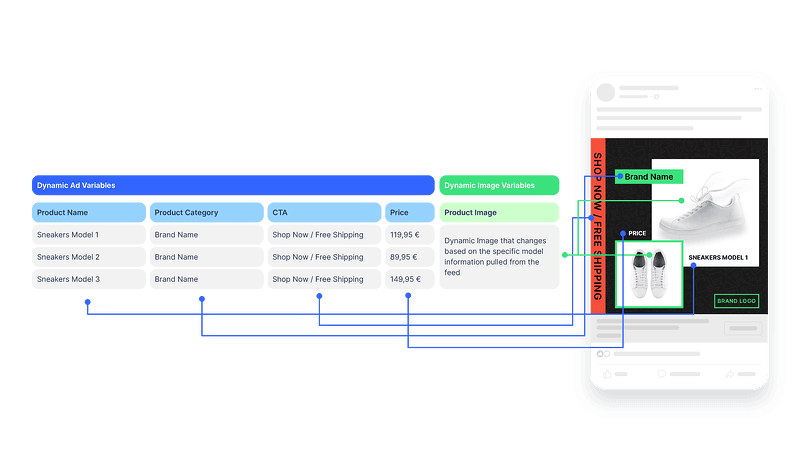
This way, you don’t have to manually create ad campaigns for your products. For catalog-based ad formats such as Dynamic Product Ads (DPA) or Advantage+ catalog ads, Meta automatically pulls images, titles, and pricing directly from your product catalog feed.
Unlocking Social Commerce Features
Setting up a product catalog is the required first step to creating an Instagram Shop and Facebook Shop. Once your catalog is connected, you can start using "Product Tags" in your Instagram and Facebook posts and stories.
This is a massive opportunity, as studies highlighted by Shopify indicate that nearly 50% of social media users have purchased products directly after seeing them in an ad or post.
Advanced Targeting with Custom Labels
The product feed lets you create custom product categories through the use of custom_labels, which enables your business to implement product classification systems that follow your actual business needs, such as categories like “Best Sellers,” “High Margin,” and “Clearance.” These labels can also be used to build product sets for catalog-based ads, helping advertisers better segment products and optimize campaign performance.
Sellers can create Meta Advantage+ Catalog Ads by selecting the most successful products from their inventory to use as their primary advertising target for their business operations.

How Meta Product Feed Works
Facebook product feed establishes a relationship between your store's product data and the Meta advertising system which operates on its platform.
1. Your store contains structured product data such as titles, prices, images, and inventory information. This data is then converted into a feed format, such as CSV or XML that Meta can read.
2. The feed is then uploaded or connected to Meta, either by uploading a file or providing a feed URL.
3. Meta processes the feed data and imports it into a product catalog, where product information is stored and managed.
4. The Meta advertising platform uses catalog data to create dynamic advertisements and product tags, which customers can access through the Facebook/Instagram Shop. Accurate product feed data can lead to better ad targeting and improved ad performance.
Meta Product Feed Requirements
1. Supported File Formats
Meta is flexible but strict about structure. Your feed must be hosted at a URL (for auto-sync) or uploaded as a file in one of the following formats:
- CSV or TSV: Best for manual uploads and Google Sheets.
- XML (RSS or ATOM): Best for developers and automated website exports.
- Google Sheets: Supported by providing a publicly accessible Google Sheets URL that Meta can fetch as a data source.
2. Mandatory Data Fields (Required)
Every product in your feed must have these attributes. If these are missing, the product will not appear in your Meta Catalog.
- id: A unique string of up to 100 characters (e.g., SKU_123).
- title: A specific name for the product (recommended length: under 65 characters).
- description: A clear summary of product features.
- availability: Must use one of these exact values: in stock, out of stock, preorder, or available for order.
- condition: Must be new, refurbished, or used.
- price: The numerical value followed by the ISO currency code (e.g., 99.00 USD or 250000 VND).
- link: The direct URL to the product page on your website.
- image_link: The URL of your main product image (recommend 1024 x 1024 pixels).
- brand: The name of the brand, manufacturer, or shop.
3. Recommended Attributes for Better Ad Performance
While not mandatory, adding these fields helps Meta’s algorithm show your ads to the right people, potentially increasing your conversion rate.
- google_product_category: Helps Meta categorize your item for better targeting.
- fb_product_category: Meta’s own taxonomy for specific ad placements, helping Meta understand the internal product category and deliver ads or placements more appropriately.
- color, size, gender: Essential for clothing and footwear sellers.
- sale_price: Allows Meta to show “Strikethrough” pricing in ads.

4. Technical Requirements for Images
Your image_link must point to a high-quality asset. Meta recommends using images that are at least 1024 x 1024 pixels for the best display on Instagram. The usage of clean white backgrounds will enhance catalog advertisement Click-Through Rates (CTR) because it allows the product to stand out in a crowded social media feed.
How to Create a Meta Product Feed
There are several ways to create a Facebook product feed depending on your store size and technical setup.
Manual Creation via Spreadsheet
You can create a small inventory feed using file formats such as CSV or XML, or through URL-based sources like a public Google Sheets link. Using Meta’s Product Data Specifications, you can manually input essential data including ID, title, price, availability, and image URLs.
You can then share your feed with Meta Commerce Manager by uploading the file directly or providing a feed URL such as a public Google Sheets or hosted XML link.
Third-Party Feed Generation Tools
If your platform does not support direct integration, or if the built-in integration has limitations, you can also consider feed generation tools that map your store’s product information to Meta’s required data attributes.
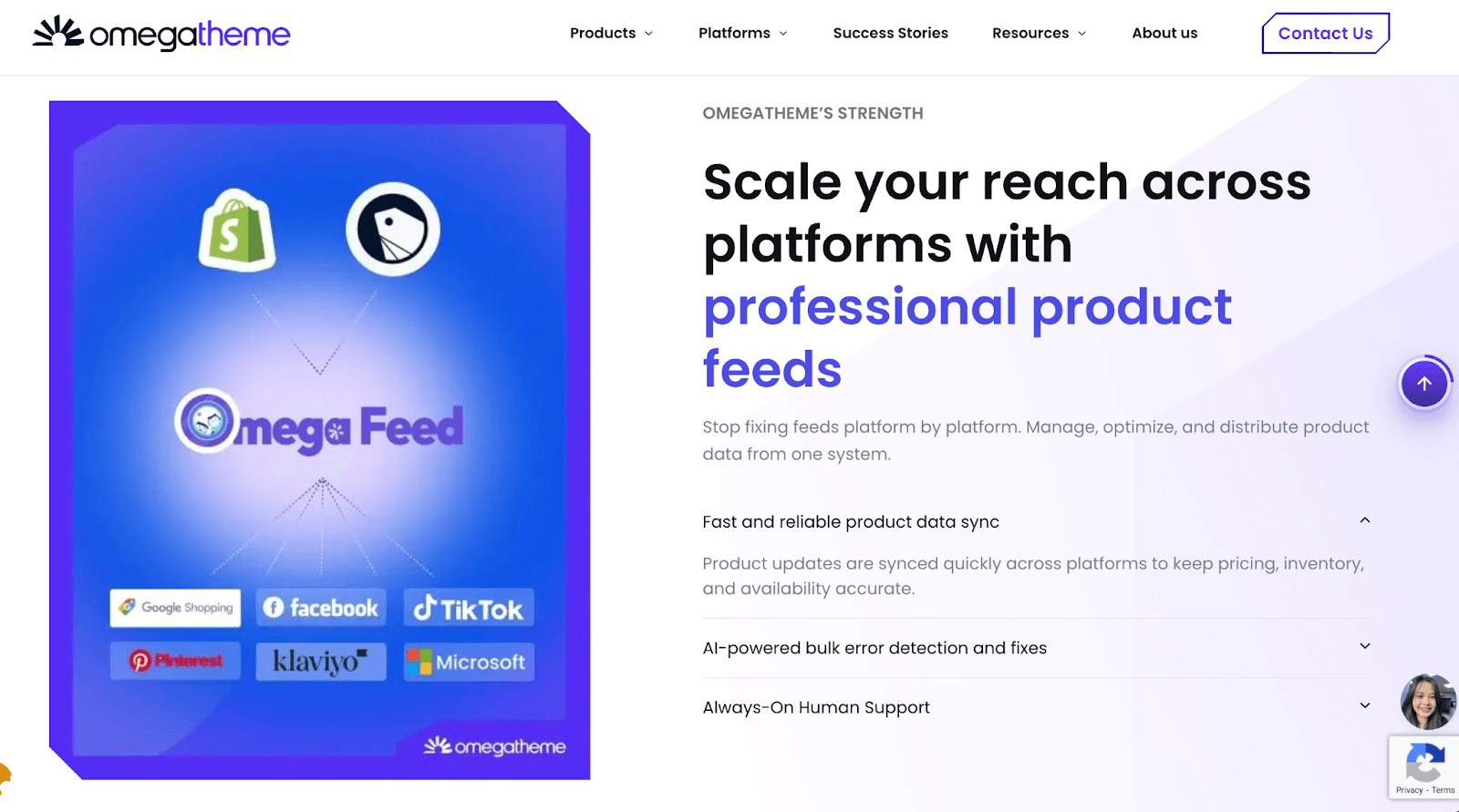
For Shopify and Shopline store owners, Omega Facebook Feed is a popular choice, allowing you to create dynamic feeds and automate updates to Meta catalogs without manual file management.
Advanced Feed Management Solutions
Feed management tools give deep control to sellers who operate with thousands of SKUs through their management systems. With feed management tools, you can optimize and enrich your product information before sending it to Meta. The process of improving data quality at the source will lead to decreased catalog errors and better campaign results.
How to Add Items to Your Facebook Product Catalog
Once your product feed is ready, the next step is adding those items to your Facebook product catalog so they can be used for ads, product tags, and your Meta Shop.
Manual Upload for Small Inventories
Best for businesses with less than 50 products that do not change often. You enter details manually into Meta Commerce Manager. Although easy to set up, it is not automated. You will have to manually update information whenever a price change occurs.
Scheduled Data Feeds for Bulk Automation
The most common method for professionals is to host a CSV, XML, or Google Sheet on a URL. The Meta Commerce Manager system will automatically retrieve new product data from your server once you establish a data retrieval schedule which fetches information at hourly intervals. Your social shop will always be updated to match your website, saving you a lot of time manually updating your shop.
Seamless Partner Platform Integrations
Using Shopify, WooCommerce, or BigCommerce, you can establish a direct connection between your store and Meta through official Meta apps/extensions which provide a plug-and-play solution. The fastest online store method automatically creates all necessary links between your website backend and Facebook Shop.

Automatic Web Syncing via Meta Pixel
For advanced users, Meta can even match catalog products with user behavior events from your website via the Meta Pixel. By placing microdata tags (Schema.org) on your product pages, the Pixel tracks user behavior events such as product views, add-to-cart actions, and purchases, matching these events with products in the existing catalog. Catalog data, such as price or availability, still needs to be updated through a product feed, integration, or the Catalog API.
Feed Optimization Tips for Better Performance
In order to achieve the best ROAS/ROI, your feed should not only be operational but also optimized for Meta’s machine learning, ensuring the algorithm recognizes high-intent buyers at the lowest possible cost.
Structure Titles for Scanability
Your product titles are important in matching products with the interests of users on Meta. For instance, rather than using the title “Blue Shirt” for your product, consider using a structured title such as Brand Name + Gender + Product Type + Key Feature.
For example, consider the following structured title: “Nike Men’s Dri-FIT Running Shirt – Royal Blue.” This will make the product more noticeable, hence increasing the chances of a higher CTR.
Leverage Custom Labels for Smarter Product Segmentation
Meta Catalog supports up to five custom label fields (custom_label_0 to custom_label_4) in your product feed. Use these fields to tag and organize products based on business value - such as profit margin, bestseller status, seasonality, or inventory level.
Once labeled, you can create Product Sets in Commerce Manager to segment your catalog for ads. This allows you to structure your campaigns more strategically - for example, allocating higher budgets to product sets with higher margins, rather than spending equally across your entire catalog.
Provide Granular Metadata (Size, Color, Gender)
Detailed information such as size, color, material, and gender is crucial, especially for apparel and footwear products. The more specific your metadata is, the better Meta’s AI can match your product to the relevant audience.
Accurate product-level information will also reduce impression waste and increase your conversion rates.
Optimize Image Quality and Ratios
Your image_link should be set to high-quality images, such as at least 1024 x 1024 pixels in size. Good-quality images of products can help create trust and therefore more engaging ads.
Lifestyle images can work well for discovery ads, but white backgrounds are generally best for dynamic remarketing campaigns. This can also help create clear buying intent.
Maintain Feed Freshness
Your feed should be synced at least once a day, although if you have a high-volume store, you may want to aim to do this hourly to avoid discrepancies between ad and landing page information.
Keeping your feed up to date can also help avoid ad spend on out-of-stock products, which can save you money in the long run.
Automate Your Facebook Product Feed with Omega Feeds
Worrying about a manually managed Facebook product feed can be akin to volunteering to play the never-ending game of “why is my catalog broken today?” With Omega Feeds, you can create and manage Facebook Feed and Facebook Catalog from Shopify in a structured way to keep your Meta catalog up to date with changes to products over time.
In addition to exporting a file, the app was designed around automation and control, allowing users to auto-sync their product information, manage multiple feeds and accounts from a single dashboard, and even make bulk edits to attributes to ensure accurate information to avoid catalog match rate and dynamic ads delivery issues.
Conclusion
A well-structured Meta product feed is not just a technical necessity; it’s also the backbone of your Facebook and Instagram advertising strategy. Whether it’s powering dynamic ads or ensuring your catalog is accurate and up-to-date, your product feed is at the forefront of everything you do on Meta platforms.
Rather than viewing your Facebook product feed as a one-time setup, think about it as a continuous optimization process. With clean data, accurate syncs, and continuous monitoring, not only can errors be reduced, but so can overall results.