


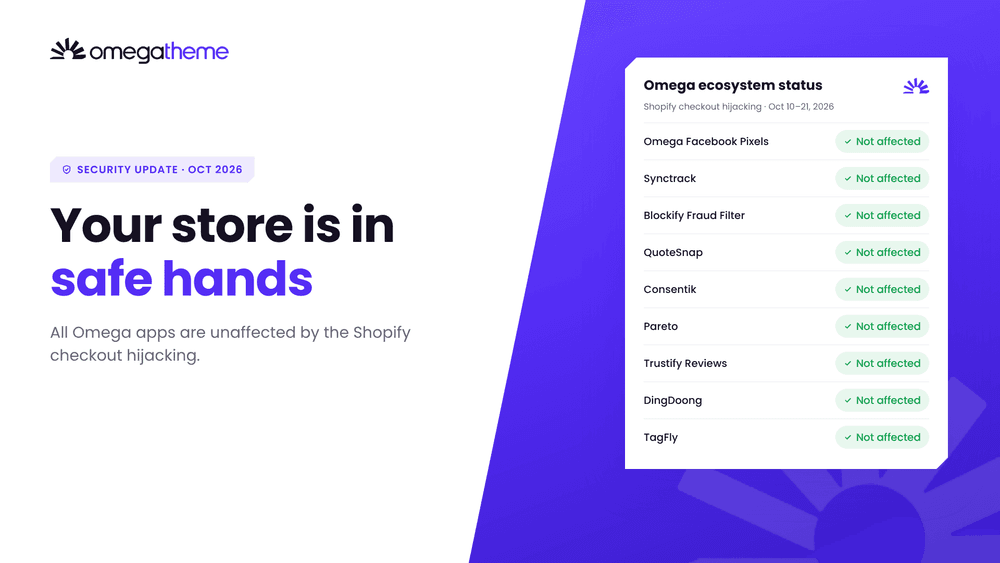
Between October 10 and 21, 2026, a handful of third-party Shopify apps were used to send shoppers to fake checkout pages. With news like this, it’s natural to ask whether the apps on your own store are safe. For every app in the OmegaTheme ecosystem, the answer is: no Omega app was affected.
Quick answer: No OmegaTheme app is among the affected apps. Omega apps do not use custom checkout JavaScript that could redirect shoppers to fraudulent checkout pages, your customers check out on Shopify’s native checkout, our systems have no exposure to the PHP vulnerability reported on October 21, 2026, our Node.js services were patched on October 22, 2026, and our ecosystem runs on SOC 2 Type II security controls.
What this article covers:
- Whether Omega apps are affected by the Shopify checkout hijacking
- What happened, and why the attack was hard to spot
- The PHP and Node.js vulnerabilities disclosed the same week
- How Omega apps keep your store safe
- How to check your store and checkout page in five minutes
- FAQs about the Shopify checkout hijacking
Visit the OmegaTheme Trust Center
Are Omega apps affected by the Shopify checkout hijacking?
No. No OmegaTheme app appears on the confirmed or suspected lists of affected apps. This applies to every app in our ecosystem, including:
- Omega Facebook Pixels
- Synctrack PayPal Tracking Sync
- Blockify Fraud Filter
- QuoteSnap - Request A Quote & Hide Price
- Consentik
- Pareto Quantity Breaks & Discounts and Pareto Order Limit
- Trustify Reviews
- DingDoong
- TagFly
If you use any of these apps, there is nothing you need to change because of this incident.
What happened in the Shopify checkout hijacking?
Shopify checkout hijacking is a phishing attack in which a compromised third-party app redirects shoppers from the Checkout button to a fake checkout page that captures card details. Between October 10 and 21, 2026, the developers of Hulk Product Options, Selleasy and Swym Wishlist Plus confirmed incidents of this kind.
Three details made the attack hard to spot:
- The fake page looked real: it sat on a look-alike
.topdomain and mirrored the store’s checkout. - Orders looked normal: after entering their card, shoppers were forwarded to the real checkout, so merchants saw ordinary orders.
- The code wasn’t in the theme in most cases: it reached the storefront through app settings, such as fields that accept custom JavaScript.
Shopify’s own checkout was not breached. The malicious code came through individual app developers’ systems. On October 20, Shopify added a prompt that asks customers to confirm before they leave a store for an outside website, and asked every app developer to strengthen their security, including moving to expiring access tokens.
What about the PHP and Node.js vulnerabilities?
In the same week, a separate issue made headlines. On October 21, 2026, two critical PHP flaws, CVE-2026-109618 and CVE-2026-109619, nicknamed “PHP2Shell”, were disclosed with a severity score of 9.2 out of 10. They can allow remote code execution on servers running unpatched PHP.
This vulnerability has not been confirmed as linked to the checkout hijacking. It matters for any app whose servers run PHP, because Shopify’s own updates don’t patch an app vendor’s servers.
OmegaTheme systems have no exposure to the reported PHP vulnerability.
Node.js also released security fixes on October 21, 2026, covering 10 vulnerabilities. The most serious, CVE-2026-111497, is a flaw in Brotli decompression that could allow remote code execution on servers that decompress untrusted Brotli data. It is fixed in Node.js v22.23.4, v24.22.1 and v26.12.1, and no exploitation in the wild or link to the checkout hijacking has been reported.
All OmegaTheme services running Node.js were updated to patched versions on October 22, 2026.
How Omega apps keep your store safe
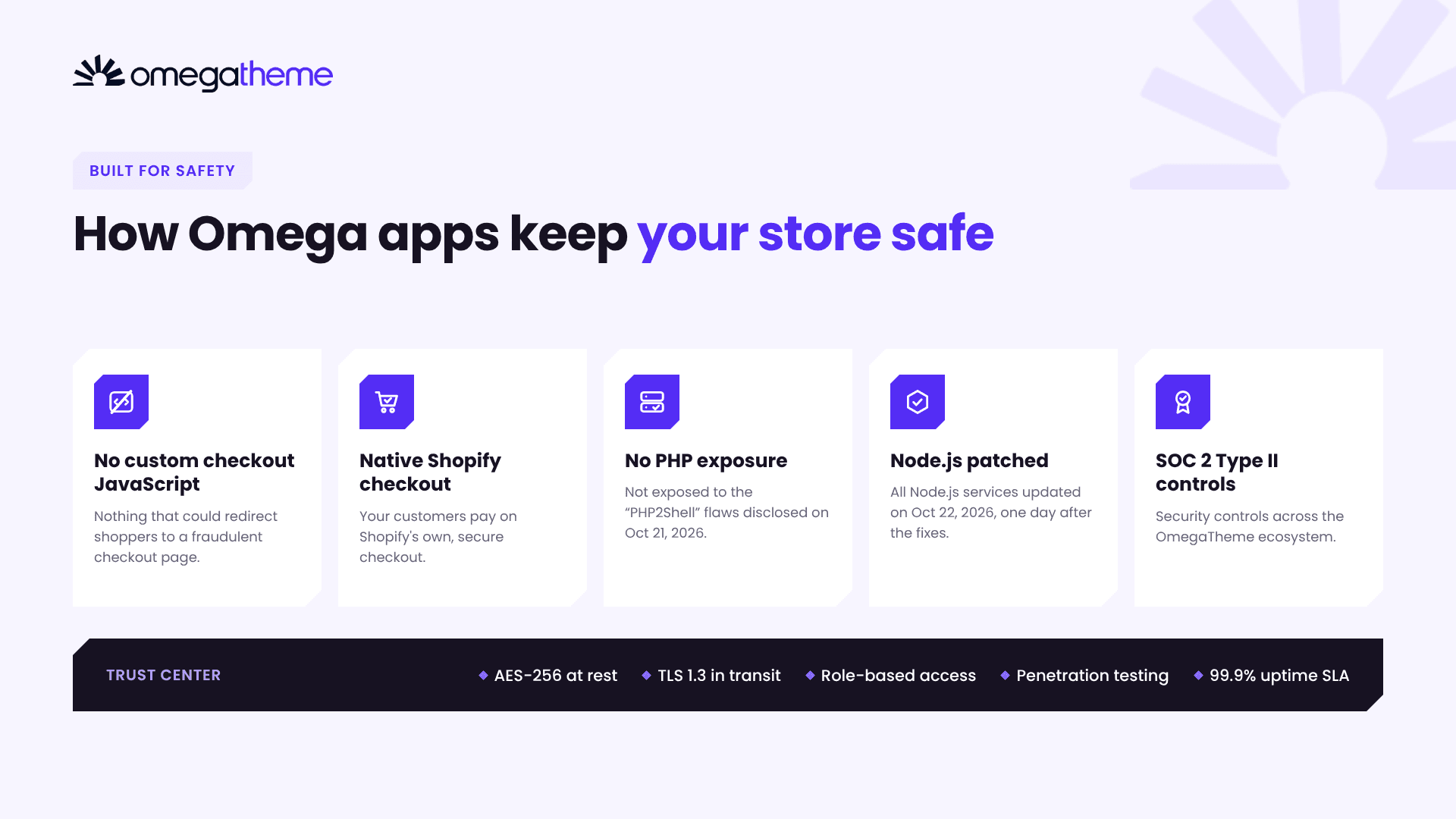
Omega apps are safe because the paths used in this attack don’t exist in our ecosystem. These commitments make the difference:
| Our commitment | What it means for your store |
|---|---|
| No custom checkout JavaScript | Omega apps don’t run custom checkout JavaScript that could redirect shoppers to fraudulent checkout pages. |
| Native Shopify checkout | Your customers pay on Shopify’s own checkout, keeping the purchase experience secure. |
| No exposure to the reported PHP vulnerability | Our systems are not exposed to CVE-2026-109618 or CVE-2026-109619. |
| SOC 2 Type II security controls | The OmegaTheme ecosystem operates under SOC 2 Type II security controls. |
| Node.js services patched | Every Omega service running Node.js was updated to a patched version on October 22, 2026, one day after the fixes were released. |
Security across our infrastructure
According to the OmegaTheme Trust Center, every Omega product is built on the same foundations:
- Encryption: AES-256 for data at rest and TLS 1.3 for data in transit.
- Access control: role-based access to systems and data.
- Testing: continuous vulnerability monitoring and penetration testing.
- Reliability: a 99.9% monthly uptime SLA, daily backups kept for 30 days, and a disaster recovery plan with a recovery time of 4 hours or less.
Your data stays yours
- We collect only the data needed to run our apps.
- We never sell or share merchant data with third parties.
- Our data practices are GDPR compliant and CCPA aligned.
- Our sub-processor list and Data Processing Agreement are available, and data is deleted within 30 days of contract termination.
How to check your store and checkout page
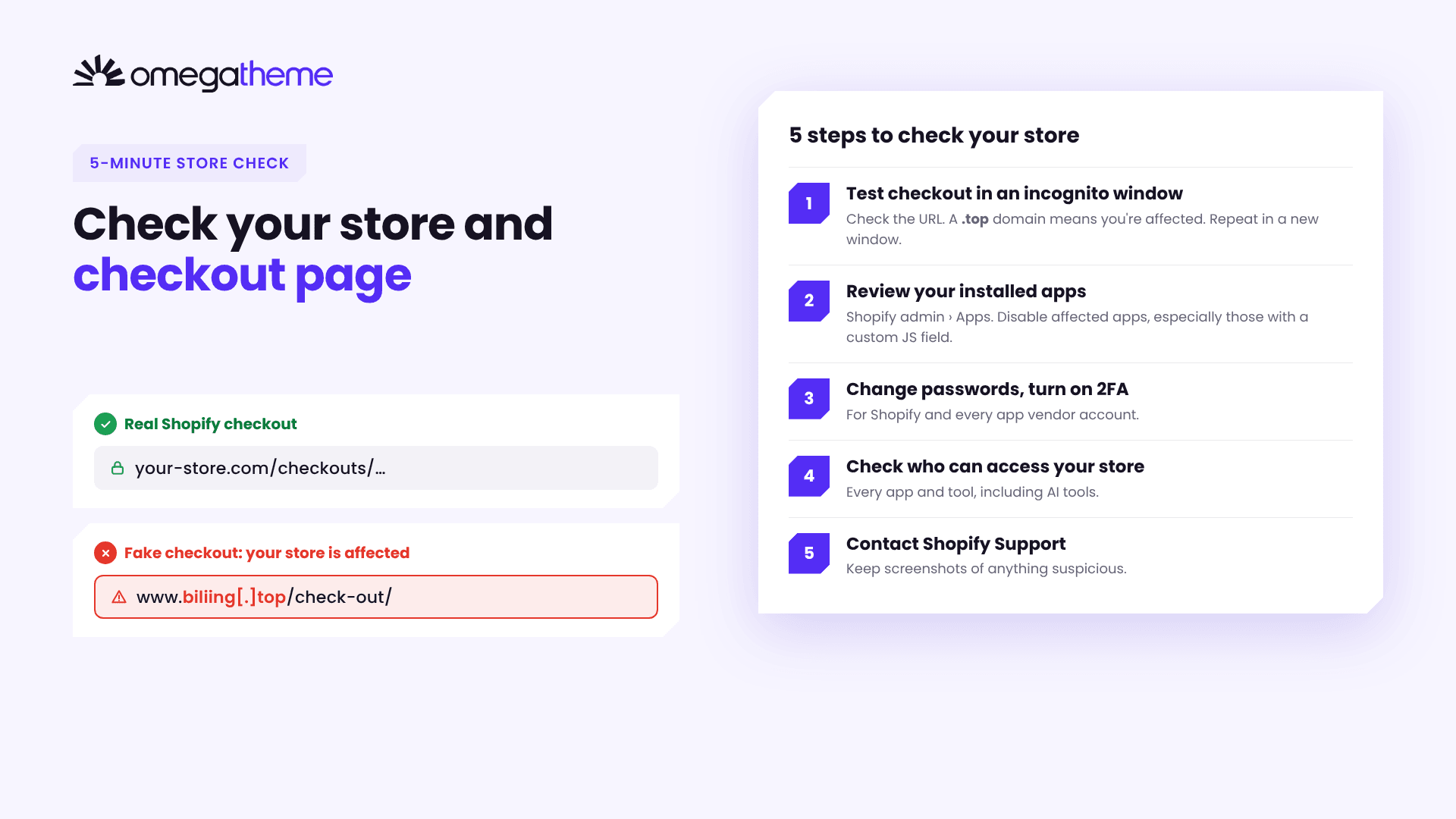
To check your store, run a test checkout in a fresh incognito window and confirm the page stays on your own domain or Shopify checkout. The full check takes about five minutes and works whatever apps you use.
Step 1: Check your checkout page
- Open an incognito (private) window and go to your store.
- Add any product to the cart and click Checkout.
- Look at the address bar. A genuine Shopify checkout stays on your store’s domain, for example
your-store.com/checkouts/…. - If the address shows an unfamiliar domain, especially one ending in
.top, your store is affected. Known examples includebiliing[.]top,checkout-confirm[.]topandcheckout-guard[.]top. - Repeat in a new incognito window. The malicious script ran only once per browser session, so a second test catches what the first may miss.
💡 Also watch for Shopify’s new confirmation prompt. Since October 20, 2026, your store asks shoppers to confirm before sending them to an outside website. If that prompt appears when you click Checkout, something is trying to send customers away.
Step 2: Review your installed apps
Go to Shopify admin > Apps and review every app installed on your store. Disable or uninstall any of the affected apps named above (Hulk Product Options, Selleasy, Swym Wishlist Plus), especially apps whose settings include a custom JavaScript field.
Step 3: Change passwords and turn on 2FA
Change your Shopify password and the password of each app’s own vendor account, then turn on two-step authentication everywhere it’s offered.
Step 4: Check who has access to your store
Review every app and tool that can access your store, including AI tools and assistants connected to your Shopify account. Remove anything you don’t recognize or no longer use.
Step 5: Contact Shopify Support
If you find a redirect or anything suspicious, contact Shopify Support right away. Before you do, take screenshots of the fake page and note its address and the time, and turn on password protection for your store so no more shoppers reach it. Never enter real card details on a suspicious page.
FAQs about the Shopify checkout hijacking
Are Omega apps affected by the October 2026 Shopify checkout hijacking?
No. No OmegaTheme app is among the affected apps. Omega apps don’t run custom checkout JavaScript that could redirect shoppers, and your customers pay on Shopify’s native checkout.
Which Shopify apps were affected?
The developers of Hulk Product Options, Selleasy and Swym Wishlist Plus confirmed incidents during the October wave. See the Letsmetrix tracker for the latest list.
Was Shopify’s checkout hacked?
No. There is no evidence that Shopify’s own checkout was breached. The malicious code came through individual third-party apps, and the fake pages were hosted on outside .top domains.
Is the PHP vulnerability related to the checkout hijacking?
No link has been confirmed. The PHP flaws CVE-2026-109618 and CVE-2026-109619 were disclosed on October 21, 2026, as a separate issue. OmegaTheme systems have no exposure to them.
Is Omega affected by the Node.js vulnerability?
No. Node.js released fixes for CVE-2026-111497 and nine other issues on October 21, 2026. All OmegaTheme services running Node.js were updated to patched versions on October 22, 2026.
Do I need to do anything if I use Omega apps?
No action is needed for your Omega apps. We still recommend the checks above for your whole store, since they cover every app you have installed.
Where can I see Omega’s security commitments?
All of them are documented in the OmegaTheme Trust Center.
Our commitment to you
Your trust means everything to us. We continue to closely monitor security developments, review our systems, and take proactive measures to better protect your store and your customers’ data. That includes applying the new security requirements Shopify announced on October 20, 2026.
If you have any concern about your store or an Omega app, talk to a person:
- Support team: reach us from inside any Omega app in your Shopify admin.
- Contact form: omegatheme.com/contact-us
- Security documents (DPA, sub-processor list, audit evidence): available on request for enterprise customers through our Trust Team.
👉 Learn more about our security commitments at the OmegaTheme Trust Center.
Visit the OmegaTheme Trust Center
Sources
- Shopify checkout hijacking (October 2026): affected apps, timeline and what merchants should check, Letsmetrix
- Shopify shops hit with ongoing Checkout Hijack attack, Roman Zipp
- New protection against unexpected redirects, Shopify Changelog (Oct 20, 2026)
- Securing your app, together, Shopify Developer Community (Oct 20, 2026)
- Critical Vulnerabilities in PHP, Cyber Security Agency of Singapore (Oct 21, 2026)
- Wednesday, October 21, 2026 Security Releases, Node.js
- Node.js October 2026 Security Release, Astra Security
- OmegaTheme Trust Center